Koodinpätkiä / Code Bits
How to forward ports with Putty to a remote computer with 2 simple steps
Migrated from Blogger
EN
In putty configuration: Connection → SSH → Tunnels:
Here I used a random port 58808:
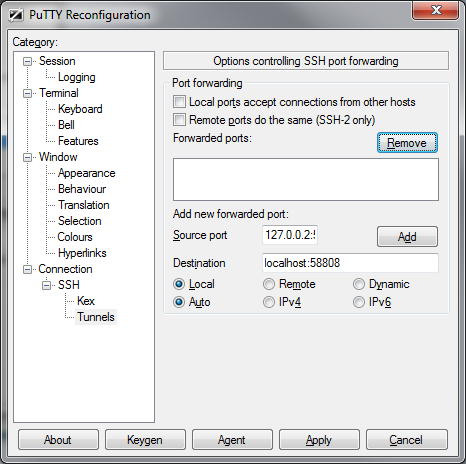
1) Input “127.0.0.2:58808” to Source port, you can also use “localhost:58808” or “127.0.0.1:58808”, depending on compatibility and preference.
2) input “localhost:58808” to Destination,
3) Check “Local” and “Auto”, then click “Add”.
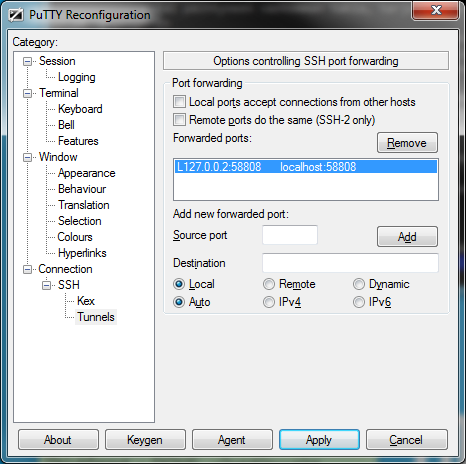
And you’re done!
Now you can connect to your localhost(127.0.0.2) using your defined port and it will forward it to your remote computer.
You can also forward to different and multiple ports, if desired.